
Renee Castellano missed a callback. One. A Tuesday in Charlotte, North Carolina, wedged between two showings and a closing that ran forty minutes over. By Thursday the buyer she’d been working for six weeks had signed with somebody else.
Nobody would call Renee lazy. Careless isn’t the right word either. She had forty-something leads scattered across sticky notes, a spreadsheet nobody had opened since March, and a phone full of texts flagged “reply later.” Later it didn’t come. It rarely does when you’re juggling three showings and a title company that won’t stop calling.
Most people who search for the best real estate CRM 2026 has to offer aren’t curious about software. They’re looking because something like this already happened to them, and they’d rather it not happen twice.
So this guide covers what a real estate CRM software does day to day, which features actually matter versus which ones just pad a pricing page, what things really cost, and whether a best CRM for real estate agents you can sign up for tonight beats something built around how your team specifically works. For a lot of brokerages that’s genuinely not an obvious call.
Strip the marketing away and a real estate customer relationship management platform is a system of record. One job, really: know where every person who’s ever expressed interest in buying, selling, or renting through you currently stands.

A generic sales CRM tracks deals through a funnel. A CRM for real estate agents has a messier job. It has to track relationships that might not close for eighteen months. Referrals from a sale three years back. A seller who insists they’re “just thinking about it” right up until the week they aren’t. How real estate CRM works in practice has less to do with pipeline stages and more to do with memory — the kind a spreadsheet just doesn’t have. It remembers the Hendersons wanted a fenced yard. That the Patels are relocating from Austin for a job starting in September. That the guy in Boise who toured four houses last spring finally got his promotion and might be ready now.
Ask ten brokers what real estate CRM software is, and you’ll hear ten slightly different definitions. They mostly circle back to the same thing though. A CRM for property businesses exists so decent leads stop dying quietly from neglect.
Here’s a number that doesn’t show up on many homepages. Most agents don’t lose leads because they’re bad at selling. They lose them because nobody’s memory was built to hold four hundred relationships plus showings plus paperwork plus a kid’s soccer game at five o’clock.
The benefits of real estate CRM tools aren’t theoretical. They show up as specific losses agents just quietly absorb, year after year, and stop noticing.
A buyer goes cold because nobody circled back inside 48 hours, and speed decides more deals than charm does. Referral business dries up because past clients never hear from you again once the closing gift’s been handed over. A team lead genuinely can’t tell who’s drowning in leads this week and who has room for five more. Commission disputes stretch on for months because nobody can produce a clean record of who actually sourced what.
None of that’s philosophical. It’s operational, plain as that. How CRM improves real estate sales comes down to three things pulling together — faster responses, follow-up that doesn’t rely on an agent remembering everything on a bad day, and visibility for whoever’s running the whole pipeline. Put those together and how CRM increases agent productivity without anyone clocking a single extra hour.
There’s a quieter benefit too, one that never makes it onto a features list. CRM for better client relationships means somebody calling two years after closing doesn’t get treated like a total stranger. The system still remembers their kid’s name, their move-in date, that inspection scare that nearly killed the whole deal. That kind of memory is what turns one closing into a CRM for real estate business growth — repeat clients and referrals, instead of cold prospecting from zero every single time.
Not everything on a pricing page pulls its weight. Some features genuinely carry the platform. Plenty of others are just checkbox filler dressed up to look important. It’s worth knowing the difference before you sign anything.
Real estate CRM lead management is the floor everything else stands on. A decent system pulls leads straight from your website, from Zillow, from a Facebook ad, from an open-house sign-in sheet, without a human retyping names into a spreadsheet at nine at night. Real estate lead capture should trigger the moment a form gets submitted. Real estate lead segmentation sorts buyers from sellers, hot leads from lukewarm ones, first-timers from investors who’ve done this a dozen times.
Probably the single most important feature on this whole list: automated real estate lead follow-up. A lead that hears back within five minutes converts at dramatically better odds than one left waiting overnight. Real estate lead response automation, whether it’s a text firing instantly or a scheduled call reminder, closes that window before the next agent on that buyer’s list gets there first.
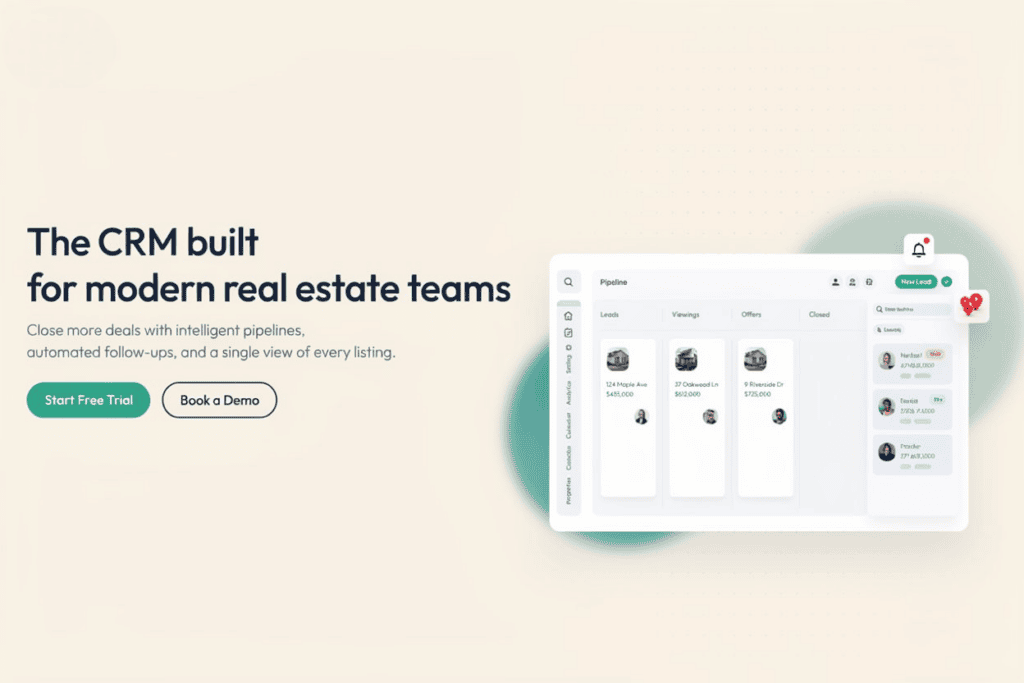
Real estate CRM contact management means more than storing a phone number somewhere. Every property a client walked through. Every showing note. Every offhand “call me after the holidays” that would otherwise evaporate the second the meeting ends.
Real estate transaction management is where deals hold together or fall apart in the last stretch, which nobody warns new agents about nearly enough. Contract deadlines. Inspection windows. Financing contingencies quietly expiring while everyone’s attention is elsewhere. A solid real estate transaction management software module keeps all of it visible instead of buried three folders deep in someone’s inbox. Add CRM commission tracking and CRM document management, and the messiest stretch of the whole job — between accepted offer and closing table — stops eating up evenings and weekends.
Real estate workflow automation is really what separates a CRM that saves time from one that just organizes it slightly better. Automated CRM data entry pulls contact details straight from an inbound call instead of somebody transcribing it later. Real estate drip campaigns keep a buyer warm who won’t be ready for six months but shouldn’t be forgotten either. CRM email marketing features send listing updates automatically, no human ever touching send.
Worth a specific callout: no-code real estate automation. Most agents don’t have a developer on speed dial and shouldn’t need one to build a simple follow-up sequence. Building it should feel more like snapping blocks together than writing scripts at midnight.
Real estate CRM reporting and real estate CRM analytics tell a broker which lead sources genuinely convert and which ones just burn and spend for the appearance of activity. CRM task management paired with CRM calendar integration stops a showing and a closing from landing on the same Tuesday afternoon slot. And because most of this job happens outside four walls — in a car, on a driveway, between two back-to-back showings — real estate CRM mobile access stopped being a nice-to-have a while back.
One more that tends to get skipped over: CRM client property matching. It flags automatically when a new listing fits what a buyer’s already told you they want, instead of waiting for them to stumble across it three weeks later on their own.
| Feature Category | What It Solves | Deal-Breaker If Missing? |
| Lead capture & segmentation | Catches leads from ads, sites, open houses automatically | Yes, manual entry loses leads |
| Automated follow-up / drip campaigns | Keeps cold leads warm without daily manual effort | Yes for solo agents and teams |
| Transaction & commission tracking | Stops missed deadlines and payment disputes | Yes for brokers and brokerages |
| MLS and calendar integrations | Cuts out duplicate data entry across tools | Usually, unless it’s a tiny operation |
| Mobile access | Updates happen from the field, not the office | Yes for anyone doing showings |
| Reporting and analytics | Shows which lead sources are actually worth it | Matters more for teams than solo agents |
| Document management / e-signature | Speeds up contract turnaround | Increasingly expected in 2026 |
Most real estate CRM comparison articles get lazy right here. Five product names, some star ratings, done. The better question isn’t which product wins outright. It’s which category fits your business at all, because custom CRM vs ready-made CRM is really the first fork in the road, well before any specific product name enters the picture.
Ready-made platforms, the kind showing up in nearly every best real estate CRM software roundup online, are built for volume. Wise Agent leans toward solo agents and small teams who want something running by the weekend. Pipedrive and Salesforce sit further up the stack, general-purpose tools bent into shape for real estate through add-ons and configuration work. People ask about Wise Agent vs Pipedrive constantly, and honestly it mostly comes down to business size. One’s built for a single agent’s daily grind. The other assumes a company with dedicated sales-ops staff to configure it properly.
Salesforce vs Pipedrive for real estate is a similar story — both general-purpose, both demanding real setup time, both rewarding businesses with internal muscle to configure them right. Quickbase vs Salesforce for real estate leans further still into custom-database territory. Powerful, no argument there. Often more infrastructure than a growing brokerage actually needs, though.
Here’s the tradeoff without the sales pitch attached. Ready-made CRM for real estate brokers gets you running faster and cheaper up front. A custom CRM development route costs more at the start but skips the slow drip of monthly fees for features nobody touches, and it fits your brokerage’s actual shape instead of a template built for a thousand other companies too. Teams growing fast across Texas, Florida, and Arizona routinely outgrow off-the-shelf tools within eighteen months, then end up rebuilding anyway. Planning for that from day one — through something like custom CRM development — can save you that second migration entirely.
Real estate CRM pricing swings a lot depending on team size and how deep the automation goes, so any single dollar figure floating around online deserves some skepticism. Solo-agent plans generally sit lower on a monthly-per-user basis. CRM pricing for real estate agents climbs as seat count and feature depth grow on team plans. CRM software cost for brokerages running dozens of agents usually skips published pricing altogether and moves to custom enterprise quotes.
A handful of patterns hold up no matter the vendor. Per-seat pricing tends to punish growing teams, since costs scale up linearly even when actual usage doesn’t. Affordable real estate CRM options often cap contacts, automations, or integrations right at the entry tier, nudging you toward an upgrade sooner than expected. And low-cost CRM for realtors tools sometimes push heavier costs later, tucked quietly into paid add-ons for MLS access or e-signature integration that weren’t obvious when you signed up.
Shopping as a CRM for solo real estate agents? A free real estate CRM or a real estate CRM free trial is worth running before locking into an annual contract. Evaluating CRM software for real estate businesses at scale? Ask for a live demo with your own data, not a canned walkthrough. That’s where a real estate CRM free demo actually earns its keep, exposing gaps a marketing page conveniently skips.
CRM for solo real estate agents looks nothing like CRM for enterprise real estate companies, and pretending otherwise is exactly how agents end up paying monthly for features they’ll never so much as open.
Solo agents mostly need speed and simplicity. Lead capture, follow-up automation, a mobile app that doesn’t come with a learning curve. CRM for small real estate teams adds task delegation and shared pipelines, so a five-person team in Ohio isn’t relying on a group text to figure out who’s supposed to be calling whom this afternoon.
CRM for growing brokerages needs role-based permissions, commission splits, and reporting across dozens of agents at once. CRM for real estate developers shifts priority toward inventory and unit-level tracking rather than individual buyer relationships, genuinely different work from a residential agent’s day. Commercial real estate CRM goes further still, tracking multi-year lease cycles and investor relationships instead of a single closing date.
CRM for real estate teams operating across state lines — an Arizona brokerage expanding into Nevada, say — adds one more wrinkle. Disclosure rules differ by state. A genuinely scalable real estate CRM flexes to that without a full rebuild every time the business crosses a border.
A CRM sitting off on its own just creates more data entry, not less. Here’s what’s actually worth checking for among real estate CRM integrations in 2026.
CRM with MLS integration, so new listings sync automatically instead of getting re-typed by hand at the end of a long day. CRM with Google Calendar integration, so a showing and a closing stop landing on top of each other. CRM with DocuSign integration, so contracts move without printing, scanning, or chasing a signature down for three days straight. CRM with Zapier integration, connecting the dozen smaller tools every brokerage collects over the years without ever meaning to. And real estate CRM API integration, for brokerages whose CRM needs to talk directly to a custom website, portal, or internal system nothing off-the-shelf was ever built to handle.
That last one is where prebuilt tools quietly run out of road. The obvious integrations get covered just fine. The moment a brokerage needs its CRM synced to a proprietary booking system or an internal ERP, CRM with ERP integration support becomes the real differentiator, and often the deciding factor in any serious real estate CRM buying guide conversation.
How to choose real estate CRM software really comes down to a short list of honest questions, asked well before anyone books a demo call.
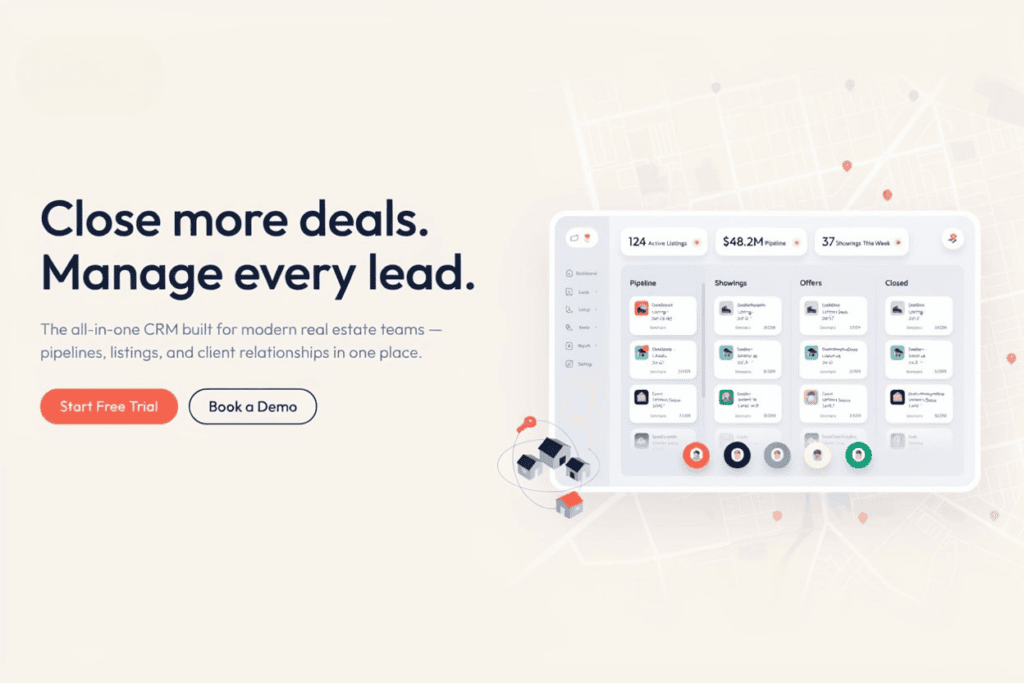
How many people will use this daily, and how comfortable are they with new software to begin with? Does the team need MLS and e-signature integration from day one, or is that genuinely a later problem? Is the business likely to double within two years, and does the platform survive that without a rebuild? Does a generic tool cover most of what’s needed, or does the workflow have enough odd corners that a customizable real estate CRM, or something fully custom, actually makes more sense? And the one people forget to ask entirely: what happens to your data if the vendor raises prices overnight or quietly retires a feature you’d built your whole process around?
Real estate CRM selection criteria should weigh ease of use heavily, maybe more heavily than anything else on this list. The most feature-rich platform on earth is worthless if agents just avoid logging into it. An easy-to-use real estate CRM actually gets adopted. A complicated one gets abandoned inside a quarter, and everyone quietly drifts back to sticky notes.
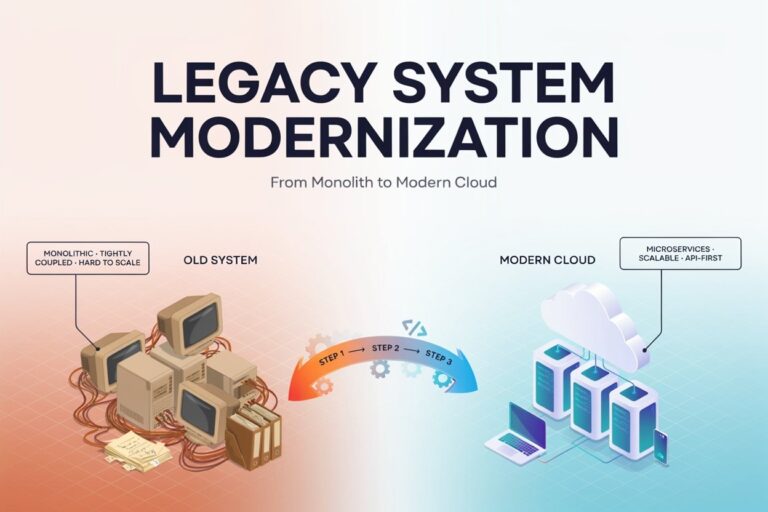
Most CRM guides stop right about here, in comparison. This one doesn’t, because sometimes the best CRM software for real estate isn’t a subscription at all. It’s a system built around how your brokerage actually runs day to day, not forced the other way around.
AsappStudio built AsappStudio CRM as a flexible foundation for businesses that need more than any template can offer. Our custom CRM development team works directly with brokerages, property developers, and growing agent teams to design a system around the pipeline they already have, not one they’re forced to adapt to. MLS and DocuSign integrations. Commission tracking that actually matches your split structure instead of a generic one. Role-based dashboards for brokers managing dozens of agents at once without losing track of anyone.
For teams layering in CRM with AI lead follow-up, our artificial intelligence services build automated response and lead-scoring logic directly into the CRM, so a new lead gets an intelligent first touch within minutes, whatever hour it happens to come in. And since a CRM rarely operates entirely on its own, our broader software development team can connect it to a brokerage’s existing website, booking tools, or internal systems, instead of forcing a rebuild somewhere down the line.
Curious what that’s actually looked like for other clients? Browse our case studies, or just get in touch and talk through what a real estate CRM built around your own workflow could look like in 2026.
The best real estate CRM 2026 has to offer isn’t some single named product sitting at the top of a listicle somewhere online. It’s whichever system actually matches how your business runs. Solo agent, growing team, multi-state brokerage, or a developer juggling dozens of units at once — the fit matters more than the brand name attached to it.
Renee, back in Charlotte, switched systems not long after that missed callback. Not because the new one was flashy or had a slicker dashboard. Because it texted her the moment a lead went quiet for 48 hours, and that one small nudge has kept her from losing another buyer since.
Whether that means a best CRM for real estate agents straight off the shelf, or a CRM for real estate teams built custom around your workflow, the right call comes down to matching the tool to the business. Not the other way around.
1. What is the best real estate CRM for 2026?
There’s no single winner. It depends on team size, budget, and whether you need MLS integration, automation, or a custom workflow built around your brokerage.
2. Is there a free real estate CRM available?
Yes, several providers offer free tiers or trials for solo agents, though automation and MLS sync are usually limited until you upgrade.
3. How much does real estate CRM software cost?
Pricing varies a lot by seat count and features. Solo plans run cheaper monthly, while brokerage and enterprise plans often need custom quotes.
4. Should I choose a custom or ready-made CRM?
Ready-made tools launch faster and cost less upfront. Custom CRMs cost more initially but scale better for growing or unusually structured teams.
5. Does a real estate CRM work with MLS and DocuSign?
Most modern platforms offer both, though depth varies quite a bit. Always confirm the details before signing an annual contract.