
3:40 a.m. That’s when Ezra Kowalski’s phone lit up. Not a call — worse, a Slack alert, the kind with three exclamation points in the channel name because someone on the night shift panicked and typed it that way. Payment failures. Plural. On a fintech app his six-person Denver team had shipped two weeks earlier, feeling pretty good about themselves.
By the time he’d made coffee and actually opened his laptop, forty-one transactions had failed. Silently. That’s the part that still bugs him when he tells the story. The API was returning 200 OK the entire time. Two hundred means success. Except the money never actually moved — the banking partner had timed out mid-transaction, and nobody, not one person on the team, had ever written a test asking “what if the response looks fine but the underlying thing it’s describing isn’t?”
Nobody tests for that on purpose. You test the happy path because the happy path is what you built, what you demoed, what got the thumbs-up in standup. The ugly path — the timeout, the malformed retry, the response that lies to you — that’s the stuff that only shows up once real users and real money are involved. Which is, unfortunately, the worst possible time to find out.
That gap between “the API technically responded” and “the API did what it claimed to do” is basically the whole reason this guide exists. Consider it the best api Testing guide for 2026 for anyone who’d rather catch that gap in a test file than in a 3 a.m. Slack channel.
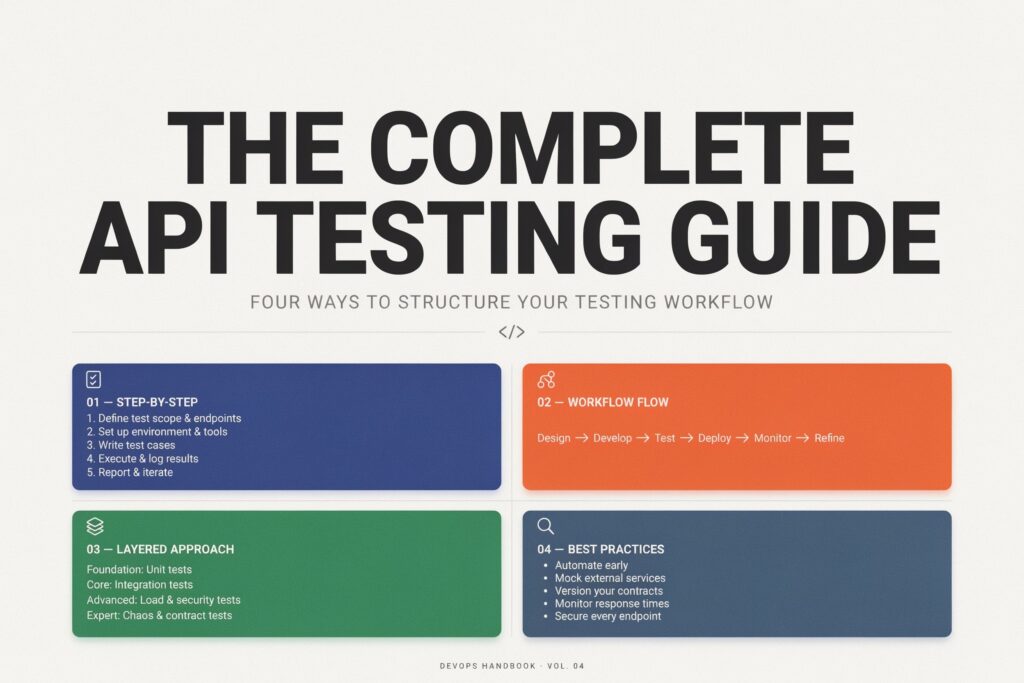
Okay, here’s something people forget, or maybe never think about in the first place: your API is the product. Users don’t see your code. They don’t see your architecture diagrams or your database schema, no matter how proud you are of them. They see what comes back from a request. If that’s slow, or wrong, or inconsistent one day and fine the next — the whole thing feels broken, even if every line of business logic is technically correct.
A handful of reasons this is a bigger deal heading into 2026 than it was even two years ago:
Microservices setups mean one tap on a screen can trigger ten internal API calls behind the scenes. Break one contract between two of those services and the failure cascades — sometimes visibly, sometimes as a slow leak nobody notices for weeks.
AI features are eating request volume like nothing else. Chatbots, recommendation engines, agents calling other agents — none of that traffic looks like a human clicking buttons at a reasonable pace, and manual QA was never built to keep up with it.
Regulatory pressure, especially in fintech and healthcare, turns an authorization bug from “embarrassing” into “we now need to call a lawyer.”
And customers just don’t wait around anymore. A flaky API used to get forgiven. Not really the case now.
Ezra’s team patched the payment bug in about six hours, which honestly isn’t bad for a Saturday. Rebuilding trust with the beta users who noticed? That took a lot longer than six hours.
So — what is API testing, stripped of the jargon? It’s checking that a system’s application programming interface actually behaves the way it’s supposed to, under conditions that resemble the real world, not just the three scenarios a developer happened to click through while building the thing.
What is API testing with an example, since abstractions are annoying? Say there’s a POST /users endpoint for creating an account. Testing it means sending valid data and confirming you get a 201 Created with the right body back. Then sending a duplicate email and making sure you get a 409, not a cheerful 200 that pretends everything’s fine. Then leaving out a required field and checking the error message actually tells you something useful instead of “something went wrong.” Then — and people skip this one constantly — firing five hundred of those requests at once and watching whether the response time holds up or falls apart.
Why is API testing important? Because the API is the actual contract between your backend and everything relying on it. Your mobile app. Your web frontend. A partner’s system that integrates with yours and that you’ll probably never even talk to directly. Break that contract quietly, and everything downstream breaks with it — usually in a way that’s a pain to trace back to the actual source.
How does API testing work, at the most basic level? Send a request. Capture what comes back — status code, headers, body. Compare it against what should have come back. Do that across enough scenarios (normal, weird, hostile, empty, overloaded, mid-timeout) and you end up with something resembling real confidence, instead of a demo that happened to work once in front of a client.
This is a big chunk of what our quality assurance team actually does on client projects — not confirming a demo runs, but leaning on an API until it either holds up or shows you exactly where it won’t.
There’s no single flavor here. Several, actually, and skipping any one of them tends to be precisely where the trouble later hides.
Functional testing checks the basics — right input, right output, according to spec.
Integration testing looks at how multiple APIs behave once they’re actually talking to each other, which matters a lot for microservices testing, where a dozen small services all need to agree on formats and timing without ever really “seeing” each other.
Regression testing exists because of a very human problem: you fix bug A, and somewhere in there you quietly break feature B. An automated regression suite running on every code change isn’t optional once a codebase gets past a certain size — it’s just how you avoid re-breaking the same thing every other sprint.
Security testing probes authentication gaps, injection risks, data leaks. Covered more below.
Performance and load testing answer the “what happens under real pressure” question. API load testing and API scalability testing simulate traffic spikes; API latency testing zeroes in specifically on how fast a response actually comes back.
Contract testing — consumer-driven contract testing, often via Pact contract testing — checks that a service and everything consuming it agree on the shape of things, without needing a full environment spun up just to verify a shape hasn’t changed.
Service virtualization and mock API servers stand in for a dependency that’s slow, expensive, or simply doesn’t exist yet.
And the mechanics shift depending on the protocol underneath. REST API testing is what most teams live in day to day. SOAP API testing still turns up in older enterprise systems more than people expect. GraphQL API testing has its own headaches around nested queries. gRPC API testing deals with binary protocols and streaming that a standard HTTP tool sometimes just can’t handle cleanly.
How to test an API, without turning it into a bigger project than it needs to be:
Start by understanding the API testing process — which means reading the documentation first. OpenAPI specification, Swagger documentation, whatever exists. If nothing exists, that’s not a minor inconvenience, that’s your actual first problem to fix.
Map the endpoints. Every GET, POST, PUT, PATCH, and DELETE method the API exposes, along with the request parameters, query parameters, and path parameters each one expects.
Know what “correct” looks like before you test for it — the expected response body, response headers, and the right HTTP status code validation for each scenario, not just “it didn’t crash.”
Write test cases that actually try to break something: positive API testing for valid inputs, negative API testing for the bad ones, boundary value testing for the edges nobody thinks about — empty strings, max-length fields, zero, negative numbers, weird unicode.
Validate the response properly. JSON response validation or XML response validation, plus JSON schema validation or broader API schema testing, so you’re confirming the shape of the data, not just that something, anything, came back.
Automate whatever repeats. Manual poking around is fine for exploring something new. Anything you’ll run more than a couple times belongs in a suit, not in your memory of “oh yeah I checked that once.”
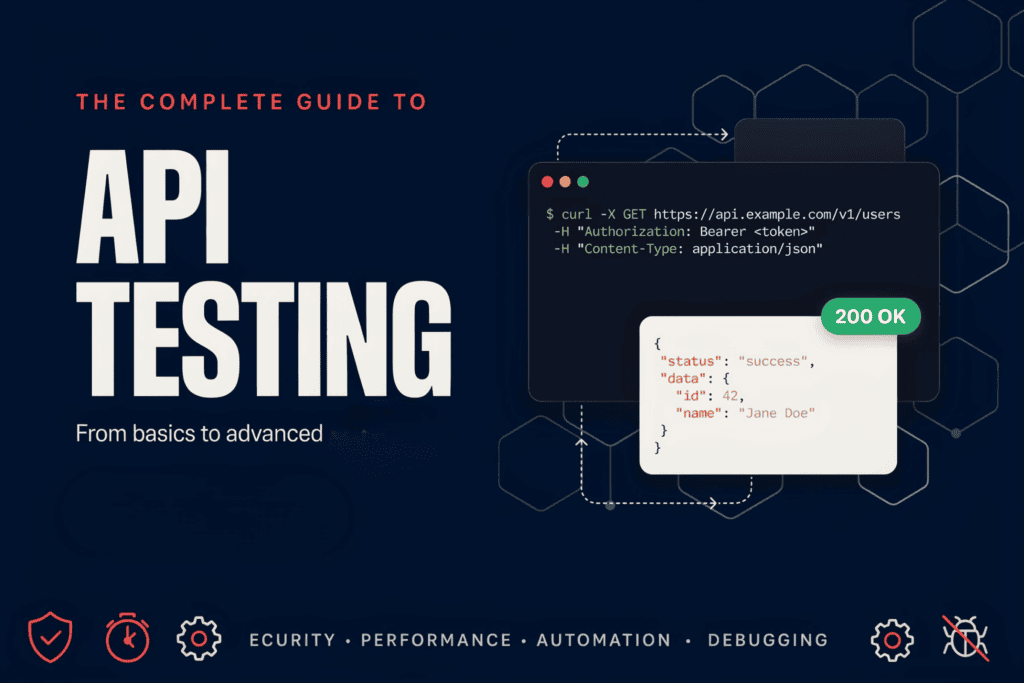
Run it somewhere real. A proper API test environment with realistic test data catches things a developer’s laptop never will, mostly because a laptop doesn’t have production-scale weirdness sitting in its database.
If you’ve genuinely never done this before and want to know how to start API testing — pick one endpoint. Send a request with something like Postman. Look at what comes back. Then ask yourself: what if this were wrong, or empty, or huge, or actively malicious? Write a test for each answer. Repeat that loop enough times and, honestly, that’s most of the discipline right there.
| Check | Why It Matters |
| Status codes match expected outcomes | A 200 that should’ve been a 400 hides real failures |
| Response body matches schema | Stops silent breaking changes from reaching consumers |
| Auth and token handling verified | Closes off the most common security gap |
| Edge cases and empty payloads tested | Catches crashes before a user ever does |
| Response time within SLA | Keeps performance from quietly degrading over time |
| Rate limiting and pagination checked | Avoids nasty surprises once traffic actually scales |
| Tests run automatically on every build | Stops regressions from reaching production at all |
Somebody asks this every single year: what are the best API testing tools in 2026? Which one should I actually bother learning? Depends, mostly, on whether you’re comfortable writing code or actively trying to avoid it.
Postman is still where most teams start. Visual, approachable, arguably one of the best free API testing tools out there once you look past the paid-tier upsells that show up eventually.
Newman is Postman’s command-line sibling — command-line API testing that lets a Postman collection run inside a pipeline instead of needing someone to click “Send” by hand.
REST Assured is the pick for Java shops wanting code-based API testing woven tightly into an existing test framework rather than bolted on separately.
Playwright began life as browser automation, but Playwright API testing has become a real contender, especially for teams who’d rather keep UI checks and API checks in one codebase instead of two.
Karate mixes API testing with a syntax that reads almost like plain English — Karate API testing appeals to teams chasing automation without demanding everyone learn to code first.
pytest, paired with the requests library, is a favorite for pytest API testing among Python teams who want full control and not much ceremony.
k6 owns the performance lane. k6 API testing is built specifically for API load testing and scripting traffic patterns that actually resemble real users instead of a clean, boring ramp.
No-code API testing tools have genuinely gotten better too — product managers and less technical QA folks can build real coverage now without ever opening a terminal. Still, for anything mission-critical, mixing a no-code layer for smoke checks with code-based tools for depth tends to win out over picking just one.
Manual API testing still earns its keep — exploratory sessions, poking at a brand-new endpoint nobody’s written tests for yet, that first “let’s just see what happens” pass. It’s fast to get going and doesn’t need any infrastructure sitting around.
Automated API testing is where actual reliability gets built, though. Once a test’s proven useful one time, running it by hand every release after that is just wasting somebody’s afternoon.
What is the difference between manual and automated API testing, in practice? Manual depends on a human noticing something’s off, which — humans get tired, humans get bored, humans skip steps on a Friday afternoon. Automated depends on an assertion that either passes or fails, the same way, every time, with zero fatigue involved.
Can API testing be automated for basically everything? Mostly, yeah. A few exploratory, feel-based checks still benefit from an actual person’s judgment. When should API testing be automated, then? Roughly: the moment a test is likely to run more than two or three times, or the moment it’s protecting something a customer would genuinely notice if it broke.
Since REST API testing is where most people spend their actual days, here’s a REST API testing tutorial in miniature:
Create a new request in Postman. Set the method — GET, POST, whatever the endpoint needs — and point it at the URL.
Add request headers. Content type, auth tokens, anything the endpoint won’t work without.
Add a request payload if the method calls for one — POST, PUT, and PATCH usually do.
Send it. Then actually look at what came back: response body, response headers, status code, all of it.
Add assertions under the “Tests” tab — status codes, specific field values, response time thresholds if you care about speed (you should).
Group related requests into a collection, and run the whole thing start to finish instead of one request at a time.
That covers the manual. How to automate Postman collections is the next step — export the collection, and how to run API tests with Newman becomes one command-line call that slots straight into a CI pipeline without anyone touching a mouse. Can Postman be used for automation entirely on its own? Sort of, up to a point. Pairing it with Newman is really what unlocks scheduled, unattended, repeat-forever runs.
How to write API test cases that catch actual problems instead of just confirming what you already knew:
Start with the happy path — valid data, expected result. Necessary. Not remotely sufficient on its own, though.
Add negative scenarios. Missing fields, wrong data types, malformed JSON, requests with no business being authorized in the first place.
Add boundary cases. Empty arrays, max-length fields, zero and negative numbers, the unicode characters that break naive string handling in ways nobody predicts until it happens.
Built- in data-driven API testing, where one piece of test logic runs against a whole table of inputs instead of fifteen nearly-identical copy-pasted tests that all drift out of sync over time.
Write assertions that mean something. Not “status is 200,” but “status is 200, and the body contains the right user ID, and response time stays under 400 milliseconds.”
Track API test coverage against your real endpoint list — not against a vague feeling that things seem “pretty well tested.”
A test case example, stripped all the way down: send DELETE /orders/9981 for an order that flat-out doesn’t exist. Expected result — 404, with a message that actually says something, not a 500 that crashes the whole request. That one test case, skipped, is how more production incidents start than people would like to admit.
A few hard-earned bits of api testing best practice, gathered from projects that went sideways before they went right:
Test against the contract, not against today’s implementation. Write tests that only pass because of the current database structure, and the moment someone refactors — even with zero actual behavior change — everything turns red for no real reason.
Validate schemas, not just status codes. A 200 hiding a broken JSON body is arguably worse than an honest, obvious error.
Keep test data isolated. Shared, mutable test data across a team is one of the fastest ways to end up with flaky, “works on my machine” test runs that nobody trusts anymore.
Document as you go. API documentation testing — checking that the docs actually match live behavior — catches drift that quietly frustrates every developer trusting the docs over digging through the code.
Version things on purpose. API versioning testing, and deliberately handling breaking API changes, keeps partner integrations from waking up broken with zero warning.
Don’t skip pagination and rate limits. Pagination testing and rate limit testing get ignored constantly, then resurface months later as “weird bugs” once traffic actually grows past whatever scale everyone assumed.
Cover webhooks on their own terms. Webhook testing needs a different approach entirely, since now the API’s calling out instead of just answering calls coming in.
Fast api testing best practices, for teams shipping quickly, really come down to this: automate early, keep the suite fast enough to run on every commit, and resist skipping the boring negative-path tests just because the deadline’s close. Rest api testing best practices overlap with most of this — REST just happens to be the protocol the majority of teams apply it to.
Security and performance don’t always get equal attention, but both are exactly where “it worked fine in the demo” quietly falls apart once real traffic and real attackers show up.
Security side first: API security testing needs to cover API authentication testing (only legitimate requests get through, period) and API authorization testing (authenticated users can only touch what they’re actually allowed to — a subtle distinction that trips up more teams than you’d think). That means OAuth 2.0 testing, JWT token testing, API key authentication, and Bearer token authentication, each with its own failure modes worth checking on purpose, rather than assuming “there’s a login screen, so it must be fine.”
Performance side: API performance testing, API load testing, and API scalability testing are technically different questions, even though people use the terms interchangeably. Load testing asks what happens at expected peak traffic. Scalability testing asks what happens as that traffic keeps growing, month over month. API latency testing zeroes in on how fast individual responses actually come back — which matters enormously on mobile, where every extra 200 milliseconds is one more user quietly getting irritated without necessarily knowing why. API reliability testing ties all of it together, confirming the system behaves the same way twice, not fast once and sluggish the next time for no obvious reason.
k6 API testing tends to be the workhorse for this — scripting realistic user behavior and watching the response curve as load climbs, instead of guessing.
API testing in CI/CD is what turns a decent test suite into an actual safety net instead of a document that sits there looking impressive and never gets re-run. Continuous API testing means every commit — not just every release, every single commit — kicks off the automated regression suite, so problems get caught in minutes instead of surfacing weeks later as a mystery.
CI/CD pipeline integration usually looks something like this: code gets pushed, a build kicks off, the automated regression suite runs against a fresh environment, and the pipeline just blocks the merge outright if anything fails. Command-line API testing tools like Newman and k6 fit naturally here, since neither one needs a UI to actually run.
Shift-left API testing pushes things earlier still — testing against the API spec before the implementation is even fully built, which pairs nicely with an API-first testing approach where the contract gets agreed on before anyone writes a line of business logic.
And yes — AI is genuinely changing this part, fast. AI-powered API testing and AI API test generation tools can now read an OpenAPI spec and spit out a solid first pass at test cases without a human starting from a blank page. AI-generated test cases and LLM-based API testing aren’t replacing judgment about what actually matters — they’re just handling the tedious, combinatorial stuff nobody wants to write by hand at 6 p.m. on a Friday. How is AI used in API testing today, practically speaking? Mostly generating boilerplate scaffolding, flagging odd patterns in responses, and suggesting edge cases a team hadn’t thought of yet.
Even well-resourced teams keep running into the same handful of API testing challenges, over and over, project after project.
Flaky tests, usually caused by shared or badly reset test data, timing issues, or a dependency on some external service nobody bothered to mock.
API debugging across distributed systems, where a single failure could realistically have started in any one of several services, and figuring out which one eats hours.
API monitoring gaps — testing before launch is one thing, but actually knowing an API’s health in production, in real time, is a completely different skill set that a lot of teams underinvest in.
Database validation in API testing — confirming that what an API claims happened actually got written to the database correctly, not just that a success response bounced back.
Cross-platform API testing, where an API might quietly behave a little differently depending on which client’s calling it — character encoding, timezone handling, that kind of thing.
And schema drift. API schema testing catching a field that silently changed type, or vanished entirely, weeks after the fact instead of the day it happened.
None of this is exotic. It’s mostly discipline — the kind that slips the moment a fast-moving team deprioritizes testing until an incident forces everyone back into the room.
This is, more or less, exactly the gap our quality assurance team gets pulled in to close — real API test coverage, not a demo-friendly smoke test, for teams moving fast who’d rather not have their API be the reason customers quietly stop trusting the product.
For teams building the underlying system from the ground up, our software development group designs APIs with testability built in from day one instead of bolted on after something breaks in production. And for client-facing platforms — fintech, ecommerce, whatever the case — our web development team makes sure the frontend and the API contract actually stay in sync as both keep changing.
If Ezra’s team had someone reviewing that payment flow before launch, that Saturday morning probably looks like every other Saturday. If your team wants that kind of coverage before the incident instead of after it, reach out to AsappStudio and let’s talk through what your API genuinely needs to be tested.
1. What is the best free API testing tool?
Postman’s free tier handles most small-to-mid team needs, and pairs with Newman for free command-line automation.
2. Which API testing tool is best for beginners?
Postman, easily — visual, low learning curve, and documented practically everywhere for anyone just starting.
3. Is API testing easy to learn?
The basics click within days. Automation, security, and performance testing take longer, ongoing practice.
4. Does API testing require coding?
Not always. Postman and no-code platforms cover plenty, but automation at real scale usually needs scripting.
5. What is contract testing in APIs?
It confirms a service and its consumers agree on request and response formats, catching mismatches before integration.