
Renee Castellano sells cast iron and copper cookware online out of Asheville, North Carolina. Eleven years now. Started the whole thing out of a garage, if you can believe that, and now she’s got a warehouse near the river shipping to all fifty states. Good business. Loyal customers. But last spring something was off — the bounce rate on her category pages was hovering around 58%, and nobody on her tiny three-person team could say why people kept landing on a product and just bailing.
It took her a while to figure it out, and honestly the answer was almost embarrassing once she saw it. You’d land on a cast-iron skillet page from a Google search and there was just… nothing. No indication the skillet belonged to “Cookware > Skillets > Cast Iron.” No way back. No way sideways into related stuff either. A product page floating in space with a logo up top and a cart icon, like it had been dropped there from orbit.
She kept calling it a “dead end” page in our calls. Not the technical term, but close enough — it’s exactly what it was. And this is a problem that’s gotten worse as catalogs have grown, not better. The fix, in the end, was breadcrumb navigation. Which is funny, because breadcrumbs are about the oldest UX pattern on the internet, older than responsive design, older than most of the CMS platforms running today’s sites. And yet here we are in 2026 and it’s somehow back in the conversation, mostly because of something Google did to search results a couple years back that nobody quite agreed on.
So let’s actually dig into this. What breadcrumb navigation is, whether it still matters for SEO, where people screw it up constantly, and how you actually build the thing whether you’re on WordPress, Shopify, or something custom built from scratch.
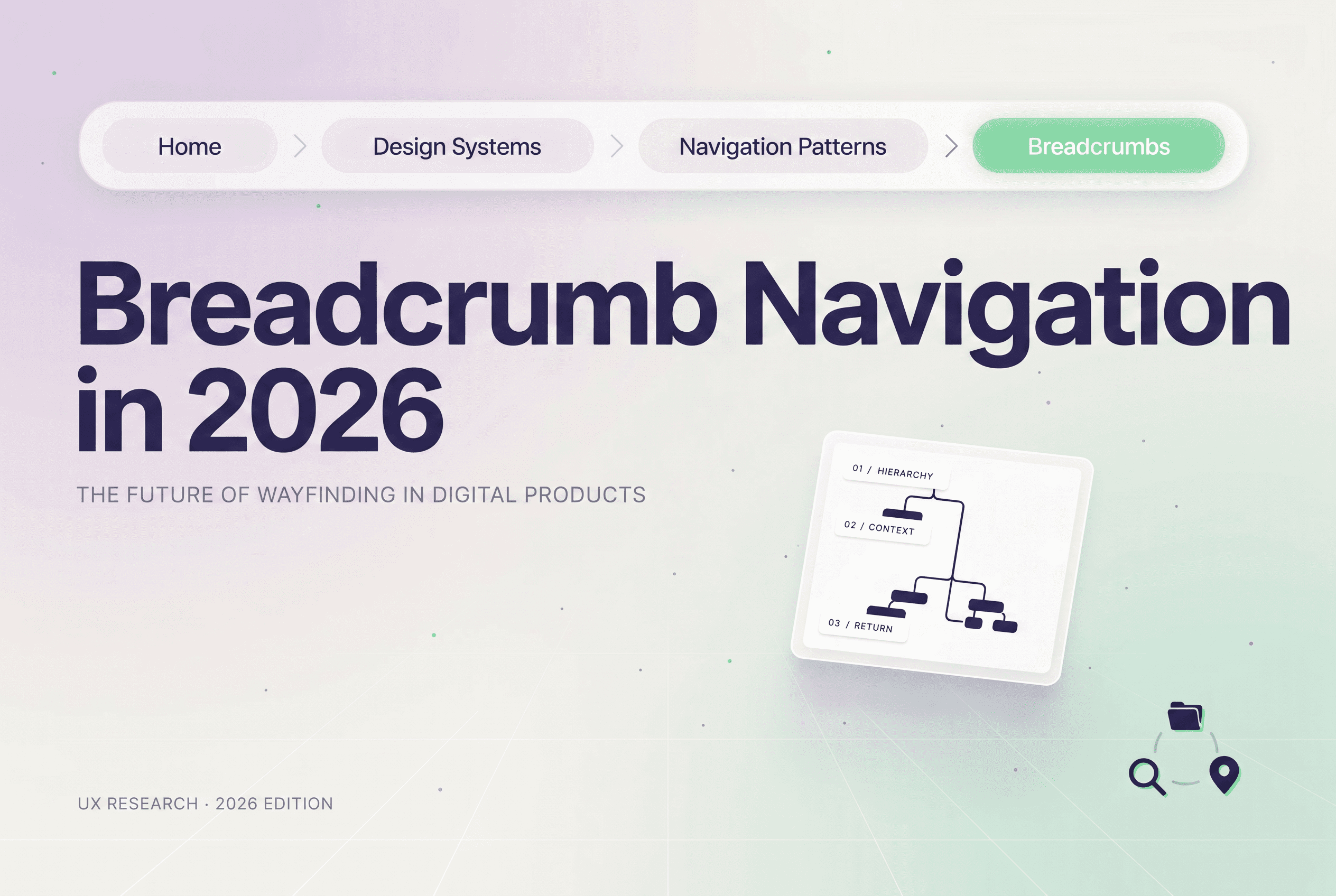
Breadcrumb navigation is a secondary trail of links — usually sitting near the top of a page, under the header — that tells a visitor exactly where they are inside a site’s hierarchy. Looks roughly like this:
Home > Cookware > Skillets > Cast Iron Skillet 12-Inch
Every part of that trail is clickable except the last one, the page you’re actually on, which just sits there static. Comes from the Hansel and Gretel story if you’re wondering — dropping crumbs to find your way home. Same idea here, just digital. Someone three clicks deep into a product catalog can jump straight back up to the category level. No mashing the back button six times.
Most people assume there’s one kind of breadcrumb. There isn’t. Three, really:
For nearly every business site, location-based wins. Path-based ones sound clever in theory but they’re a nightmare in practice — two different visitors hit the same URL and see two different trails, which is confusing for humans and worse for crawlers trying to understand what that page actually is.
Yes. With an asterisk, because the landscape shifted.
Late 2024, Google quietly pulled breadcrumb rich snippets out of mobile search results. Just swapped them for the plain URL path instead. And predictably, the SEO blogosphere lost its mind for about three weeks with “breadcrumbs are dead” takes. Most of those takes missed something pretty basic.
Breadcrumbs were never really an SEO tactic to begin with. They’re a structural feature — an architecture decision — that happens to throw off SEO benefits as a side effect. Here’s how breadcrumbs help SEO when you strip the noise away:
Internal linking, first and most obviously. Every single breadcrumb link is an internal link. Multiply that across a few thousand product pages and you’ve got a built-in, automatic linking structure pointing from deep pages back up toward category and parent pages — distributing authority through the site without anyone manually placing links.
Then there’s crawlability. Crawlers move through links, plain and simple. A page sitting five levels deep with zero breadcrumb trail and nothing else pointing to it risks turning into what people call an orphan page — technically live, technically indexed maybe, but practically invisible. Breadcrumbs more or less guarantee a path back to the parent category from every page that has one.
There’s also click depth, which architecture nerds love talking about — how many clicks from the homepage to reach any given page. Flattening that with smart category hierarchy plus a breadcrumb trail tends to improve search engine visibility across bigger sites in ways that compound over time.
And topical structure. A clean breadcrumb trail helps both users and crawlers understand which pages cluster together under which topic — reinforcing the whole site’s topical structure, not just one page at a time.
So: do breadcrumbs still matter for SEO? Yes. Not because Google’s flashing them in mobile results like a badge anymore, but because the underlying benefits to site hierarchy and internal linking were never tied to that visual snippet in the first place. And for what it’s worth, desktop results still sometimes show that breadcrumb-style URL path when valid BreadcrumbList schema is sitting on the page — it’s just not guaranteed, which is a very Google thing to do.
Here’s where a lot of site owners stop halfway. They get a visual breadcrumb trail rendering on the page, it looks fine, and they call it done. It isn’t done. A visible breadcrumb and breadcrumb schema markup are two completely separate things, and you need both or you’re only getting half the benefit.
BreadcrumbList schema is structured data — JSON-LD, per schema.org’s spec — that spells out a page’s hierarchy directly in code instead of making Google guess from your HTML. Without it, Google’s inferring structure from markup, which it does, but imperfectly. With it, you’re just handing the answer over.
Here’s what that BreadcrumbList schema structured data actually looks like written out:
{
“@context”: “https://schema.org”,
“@type”: “BreadcrumbList”,
“itemListElement”: [
{
“@type”: “ListItem”,
“position”: 1,
“name”: “Home”,
“item”: “https://example.com/”
},
{
“@type”: “ListItem”,
“position”: 2,
“name”: “Cookware”,
“item”: “https://example.com/cookware/”
},
{
“@type”: “ListItem”,
“position”: 3,
“name”: “Cast Iron Skillets”,
“item”: “https://example.com/cookware/cast-iron-skillets/”
}
]
}
Each rung on that ladder is a ListItem — position, name, URL. That’s how to add breadcrumb schema the right way. Positions need to be sequential, starting at 1, no skipping. The very last item, the page you’re standing on, technically doesn’t need a URL since it isn’t a link anyway, though most people throw one in regardless and Google doesn’t seem to mind either way.
WordPress breadcrumb navigation is, frankly, the easy one. Most of the major SEO plugins out there generate both the visible trail and the BreadcrumbList schema automatically based on your existing page and post hierarchy. The thing nobody tells you: default plugin output is often generic, sometimes flat-out wrong if your category structure is messy. Worth a manual look-over. Takes twenty minutes, saves you a headache later.
Shopify breadcrumb navigation depends heavily on which theme you’re running. Some newer Shopify themes ship with breadcrumbs and schema already wired in. Older or stripped-down themes need it bolted on through theme code or an app. And for Shopify breadcrumb navigation specifically — this one bugs me — too many smaller stores just show “Home > Product Name” with nothing in between. That’s not a breadcrumb trail. That’s a homepage link with extra steps. It needs to reflect the actual collection hierarchy or it’s pointless.
Custom-built sites, obviously, mean writing and inserting the schema by hand, matched exactly to whatever’s visible on the page. And matched is the operative word — mismatched schema (where the visible text says one thing and the schema’s “name” field says another) gets flagged in validation tools, so don’t get lazy there.
How do I test breadcrumb schema in Google? Run the URL through Google’s Rich Results Test. It’ll tell you flat out whether BreadcrumbList is detected and whether it validates cleanly. Doesn’t guarantee Google will display it visually — that part’s out of your hands — but it confirms the markup itself is readable.
Plenty of breadcrumb trails technically work and still feel wrong. Here’s what separates a fine implementation from a genuinely good one.
Start with the homepage. Always. There’s mild debate among UX people about this but the consensus, pretty firmly, lands on: yes, include it, because it gives every visitor a guaranteed escape hatch back to square one.
Match the trail to a logical hierarchy, not necessarily a literal URL path. Should breadcrumbs match the URL structure? In a perfect world, sure, for tidiness. But if your URL structure and your real category hierarchy ever disagree, go with the hierarchy. Conceptual clarity beats a 1:1 URL match every time.
Keep every link clickable except the last one. Should breadcrumb links be clickable? Yes, all of them except the current page — making the whole trail unclickable defeats the entire point of having one.
Use a visible separator. Chevrons, slashes, arrows, whatever fits your design — just keep the spacing generous enough that mobile breadcrumb navigation doesn’t turn into a cramped row of unreadable mush. Thumbs need room.
Don’t let breadcrumbs replace your actual navigation menu. This one trips people up constantly, and it’s a real breadcrumb navigation mistake worth flagging on its own — navigation menus exist for exploring forward, breadcrumbs exist for understanding where you already are and retracing steps backward. Different jobs.
Cap the depth. A six-level-deep breadcrumb trail isn’t helpful anymore, it’s clutter, and it’s especially bad on mobile where horizontal space disappears fast.
Breadcrumb navigation accessibility gets skipped more than almost anything else in this whole topic. A handful of things that aren’t optional: wrap the trail in a <nav> element with an aria-label (something like “breadcrumb” works fine), structure the items as an ordered list using <ol>, and mark the current page with aria-current=”page” instead of relying on styling alone to communicate that. Screen reader users need those semantic markers to even know they’re looking at a navigational trail and not some random pile of links.
This is the spot where breadcrumbs SEO and breadcrumbs UX genuinely collide, because ecommerce breadcrumbs are doing heavier lifting than, say, a breadcrumb on a single blog post ever has to.
Category breadcrumbs establish which parent category, and which subcategories, a given product sits under — which matters a lot for product discovery. Picture someone landing on a product through a search result, deciding it’s almost right but not quite, and wanting to browse “what else is in this category.” If that’s not one click away through the breadcrumb, they’re stuck digging through a search bar or starting over from the main nav. That’s friction nobody needs.
Product page breadcrumbs, specifically, should reflect a single primary category path even if the product technically lives in multiple categories behind the scenes. Pick one. Stick with it. Trying to cram every category a product belongs to into one breadcrumb trail just creates clutter and leaves both visitors and crawlers unsure which hierarchy is the “real” one.
Faceted navigation makes this trickier — filtering by size, color, price, brand, you name it. Attribute-based breadcrumbs can help here, but they need to be handled carefully or you end up generating a pile of near-duplicate filtered pages that confuse search engines about which version is canonical.
This is exactly the sort of decision that needs to get baked into a site during the actual build, not patched on after launch. Renee’s team ended up rebuilding this through our ecommerce development process precisely because category hierarchy, URL structure, and breadcrumb logic all had to get solved together — you can’t really fix one without touching the other two.
Some patterns that genuinely work, as breadcrumb navigation examples go:
A clothing retailer running Home > Women’s > Outerwear > Jackets > Product Name — clean, every level clickable, current page bolded and dead.
A SaaS documentation site running Home > Docs > API Reference > Authentication — proof this isn’t just an ecommerce thing. Deep doc libraries run into the exact same orphan-page, click-depth problems as a product catalog does.
A real estate listings site running Home > Listings > California > Temecula > 3-Bedroom Homes — geography works just as well as product category, as long as the logic holds steady site-wide.
None of that is about styling, by the way. What ties them together is that each trail genuinely reflects the site’s information architecture and every link is somewhere a person might actually want to revisit. Nothing decorative. Nothing there just to look fancy.
A short, blunt list, because these come up in nearly every audit I touch:
Breadcrumb trail rendering fine visually, zero BreadcrumbList schema anywhere in the code. Schema text not matching what’s actually displayed on the page, word for word. Breadcrumbs accidentally behaving as path-based instead of location-based, so different visitors see different trails on the exact same URL — which is genuinely confusing for crawlers trying to pin down site hierarchy. Killing breadcrumbs on mobile entirely to “save space,” which removes a wayfinding tool right where people are most likely to feel lost in the first place. And letting breadcrumb depth balloon on heavily filtered category pages until the trail is six items long and nobody reads it anymore.
Strip it down far enough and breadcrumb navigation is just a visible symptom of something bigger — whether a site’s information architecture was actually planned out, or whether it just sort of happened over a few years of adding pages. Sites that slap breadcrumbs onto a messy structure end up with breadcrumb trails that don’t quite make sense. Categories overlapping. Parent pages that technically don’t exist. Trails that contradict the main nav menu sitting two inches above them.
Getting the underlying website architecture right in the first place — sane category hierarchy, sensible URL structure, internal linking that’s actually planned between parent and child pages — is foundational, unglamorous work. It’s a meaningful chunk of what real web development looks like when it’s done from the ground up instead of bolted on after the fact. The breadcrumb is just the part you can see. If the structure underneath is solid, breadcrumbs are almost boringly easy to implement. If it’s not, no amount of styling fixes the real issue hiding underneath.
User experience plays into this just as much as the technical side, maybe more. At its core, a breadcrumb trail is a usability feature first — getting the spacing, visual hierarchy, and interaction states right is squarely a design question, which is exactly why breadcrumb work tends to get handled alongside broader UI/UX services instead of treated like a pure back-end checkbox someone ticks off at the end.
And for businesses running custom platforms — dashboards, internal tools, anything where the hierarchy is genuinely complicated with nested permissions or regional structures — breadcrumb logic often needs building right into the application itself rather than dropped in as an afterthought. Which is where this whole topic ends up overlapping with full software development work more than people expect.
Not every site needs this. A five-page brochure site for, say, a local dentist’s office in Ohio doesn’t need breadcrumb navigation there’s no hierarchy deep enough to justify the effort. But anything with categories, subcategories, a real product catalog, a sprawling blog archive, or documentation running more than two levels deep? That site benefits, often a lot.
Renee’s store added BreadcrumbList schema alongside a rebuilt category structure last year. Bounce rate on product pages went from the high 50s down into the high 30s within about two months. Wasn’t purely the breadcrumbs — there were other fixes happening at the same time — but the trail was a meaningful piece of it. People could finally tell where they were standing on the site, and more importantly, where else they could go from there. That’s really the whole point of any of this. Not rankings. Not rich snippets in search results. Just not losing someone the second they land somewhere unfamiliar.
What is breadcrumb navigation?
A trail of links near the top of a page showing exactly where a visitor sits inside a site’s category hierarchy, step by step.
Are breadcrumbs still shown in Google search results?
Inconsistently. Mobile mostly lost them in 2024, but valid schema can still shape how desktop results appear sometimes.
Should breadcrumbs include the homepage?
Yes, almost always. It gives visitors a reliable way back to square one no matter how deep they’ve wandered.
Can breadcrumbs reduce bounce rate?
Often, yes — indirectly. An easy path to related categories tends to keep people browsing instead of leaving outright.
What is the best breadcrumb structure for SEO?
Location-based breadcrumbs paired with accurate BreadcrumbList schema, built around a clean, consistent category hierarchy.